



How To Use Nebo for Progress Notes?
Here are the three different ways to get your notes from "Q":

Summarize w/ Nebo
Dictate the session, talk to Nebo about your client, and let it handle the rest.

Listen w/ Nebo
Press "listen" in your Nebo account, and let Nebo prepare notes while you focus on your client.
Import to Nebo
If live listening isn't an option, record a session and upload it to Nebo.
Why Work With Us?
We've turned the mundane into the extraordinary!
Nebo provides online software that uses Artificial Intelligence to simplify Progress Notes.

Simple
Nebo is your seamless companion, simplifying the complicated.

Secure
Your information is private and secure, ensuring your commitment to client protection.

Live and Later
Whether Nebo generates notes for live sessions, imported sessions, or summaries, it works according to your wishes.

HIPAA-Compliant
Nebo prioritizes HIPAA compliance to uplift your practice in the ever-changing world of AI.

Quality AND Quantity
Our talented team constantly improves Nebo for accurate and precise notes.

Pocket-friendly Pricing
We're your companion, tool, and resource - let's be on the same team!
How It Works
Let Nebo Do the Heavy Lifting
While you listen to your clients, Nebo handles all the note-related details.
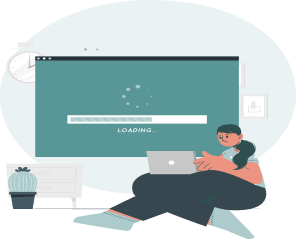
Marvel as Nebo Works Its Magic
While you take a break, Nebo transforms your session into an organized masterpiece without any typing.
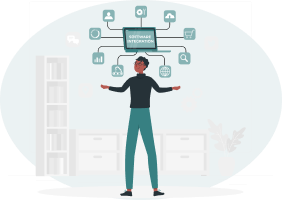
EHR Integration, Made Cool
Nebo seamlessly integrates with every EHR - copy and paste your notes effortlessly, just like sharing the latest meme. Your workflow should be as smooth as your favorite playlist.
Pricing


Frequently Asked Questions
Answers to Your Burning Questions: Unraveling the FAQs for a Seamless Experience
At Nebo, we take privacy and security seriously. We ensure
HIPAA compliance by not storing any notes or session data. Q
"Listens" to your session, either during a live therapy
session, or while you dictate your notes/memory of the session
afterwards. It does not save or keep the audio, transcription,
or the resulting notes on your device or in the cloud. When
you close the session after copying and pasting your notes
into your EHR, the audio, transcription and resulting notes
are gone from Nebo forever.
The only exception is in the case of a processing error, in
which case we do prompt you to save the audio to your device
so you can import it and generate the notes at a later time.
Once you have re-processed the audio file and deleted it from
your device, the data is gone.
We prioritize the security and confidentiality of your data. Nebo employs robust encryption protocols and follows industry best practices to ensure the protection of your information. Rest assured that your data is handled with the utmost care.
Yes, Nebo is designed to be compatible with various devices and operating systems. Whether you're using a PC, Mac, tablet, smartphone or recorder you should be able to access Nebo seamlessly.
You can simply use your own device’s app or recorder and upload at a later time to see Nebo do its magic.
If you have backdated notes, this feature will be your best friend! You can simply narrate your session from your own notes/memory. Nebo will still be able to provide the detailed notes you desire.
We encourage you to be familiar with your State regulations regarding the collection of two-party audio recording. States that require two-party consent are: California, Connecticut, Florida, Illinois, Maryland, Massachusetts, Michigan, Montana, Nevada, New Hampshire, Pennsylvania, and Washington. If you would like to include an Audio Consent Form in your client intake forms, here is a template you can use to create one for your practice.
Q strives to provide accurate and comprehensive notes based on the recorded sessions or narrations. While Nebo is designed to be highly accurate, it's important to review and verify the notes for any minor errors or omission
Currently, the format and template of the notes are standardized to DAP/SOAP/Session Progress Notes. However, we are continuously working on enhancing our platform, and customizability options may be available in the future.
Reach out to us here for a quote so we can provide you the best priced option
Reach out to our dedicated support team at support@nuiq.com, and we'll ensure your experience at Nebo is as smooth as possible. Whether you have inquiries about our services, need technical assistance, or want further clarification, our team is ready to assist you.
Still have unanswered questions? We're here to help!
Click the button below, and we'll ensure your experience at Nebo is as smooth as possible. Whether you have inquiries about our services, need technical assistance, or want further clarification, our team is ready to assist you.